

Obsidian Fast Track · Self-paced course

Turn Obsidian into a high-performing operating system for your work and life

Fast track your way to a second brain that keeps everything you're running in one place, so you can stay focused on the work that matters and stop worrying about what's slipping through.

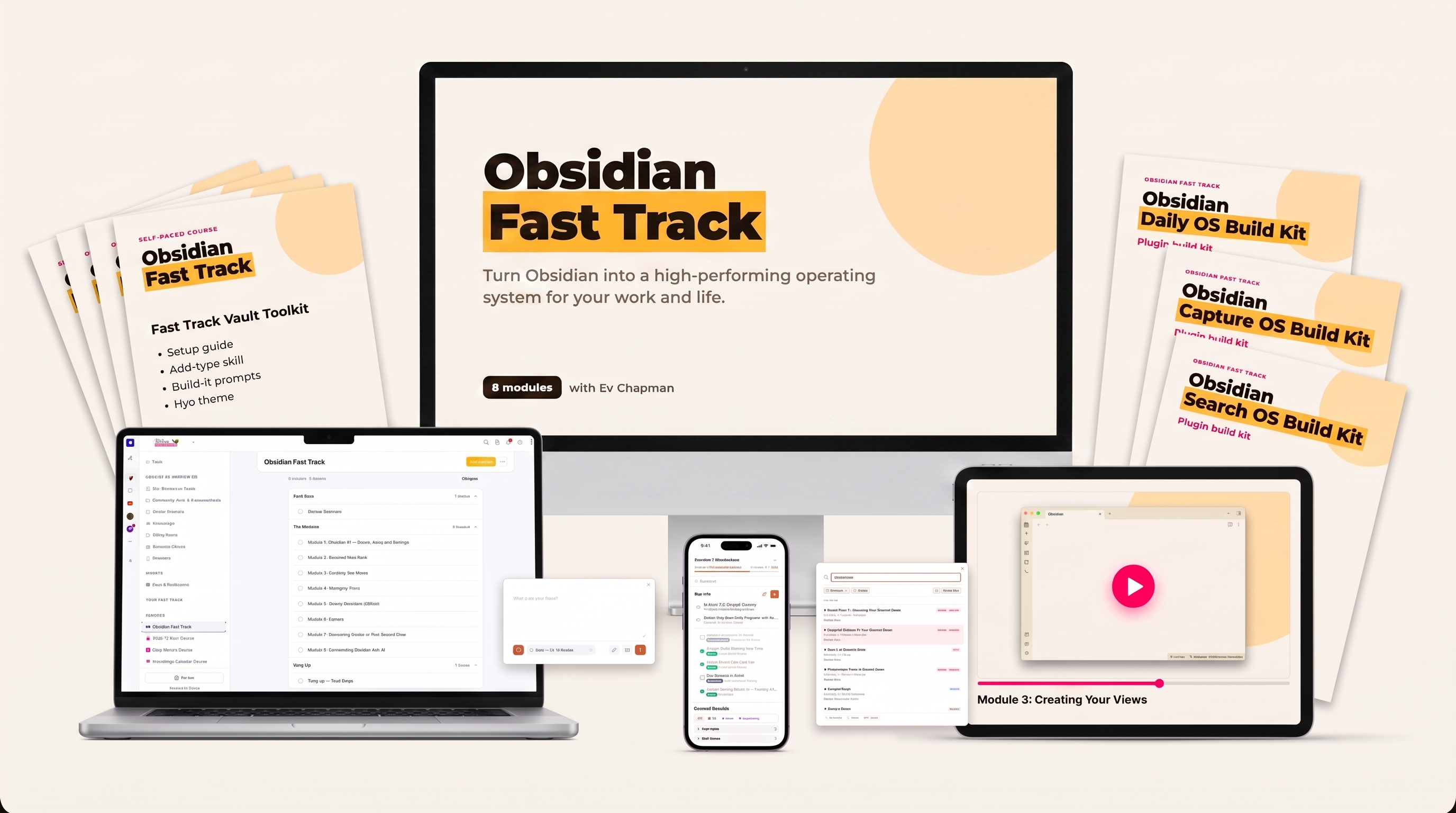
Everything in Obsidian Fast Track: the course modules, video lessons, the Fast Track Vault Toolkit, Daily OS on your phone, Capture OS and Search OS, and three plugin build kits
Sound familiar?

You're running a lot. Your system isn't keeping up.

You've got projects on the go, people to follow up, ideas worth keeping and a calendar that fills itself. You run all of it well. What you run it with is the problem.

  • Tasks in one app, notes in another, and the thing you need right now in neither.
  • Half-finished attempts at a second brain sitting in three different tools.
  • Every new idea gets written down somewhere and found again by accident.
  • Setting up something better keeps getting pushed to a weekend that never comes.

You deserve a system that keeps up with you. One that carries the details so you don't have to, so you can walk into every day clear on what matters and free to do the work only you can do.

Picture this

One place to run your work and business from

Imagine opening Obsidian in the morning and seeing your whole day already laid out for you. The meetings you've got, the tasks that actually matter, the project you're in the middle of, right there on one screen. You have an idea on the train, tap it into your phone, and it's already filed where it should be by the time you look up. A client's name comes up in conversation and everything you've ever noted about them is one click away.

That's what it feels like when your work and business run from one place. Everything connected, in a tool that's completely yours. And when you're ready to bring your agent in, it lives right there inside the system, reading the same notes you do, so it turns up to every conversation already knowing what you're working on.

That's where Obsidian Fast Track comes in.

Here's the thing

All the power of Obsidian, without the months of setup

Everyone who's tried Obsidian knows the deal. Infinitely flexible, completely yours, and a serious learning curve before any of that pays off. Plugins to choose, settings to wrestle with, views to build by hand. Most people spend more time setting it up than using it.

Obsidian Fast Track is built differently. Alongside learning Obsidian, you'll learn how to partner with your agent to set it up and run it. Obsidian becomes infinitely easier when you hand the setup, configuration and day-to-day management over to your agent.

The video modules walk you through how to use Obsidian. The magic is the Fast Track Vault Toolkit: hand it to your agent and it does 99% of the configuration and setup for you, all personalised to the way you work.

That means you get set up fast, and your setup is completely personalised to you.

What's inside

Everything you need to get set up fast

Obsidian Fast Track comes in two parts. The modules teach you Obsidian, and the toolkit gets your agent to set it all up for you.

Part one

The video modules

Get up to speed on Obsidian fast. Everything you need and nothing you don't, in short lessons you can follow at your own pace.

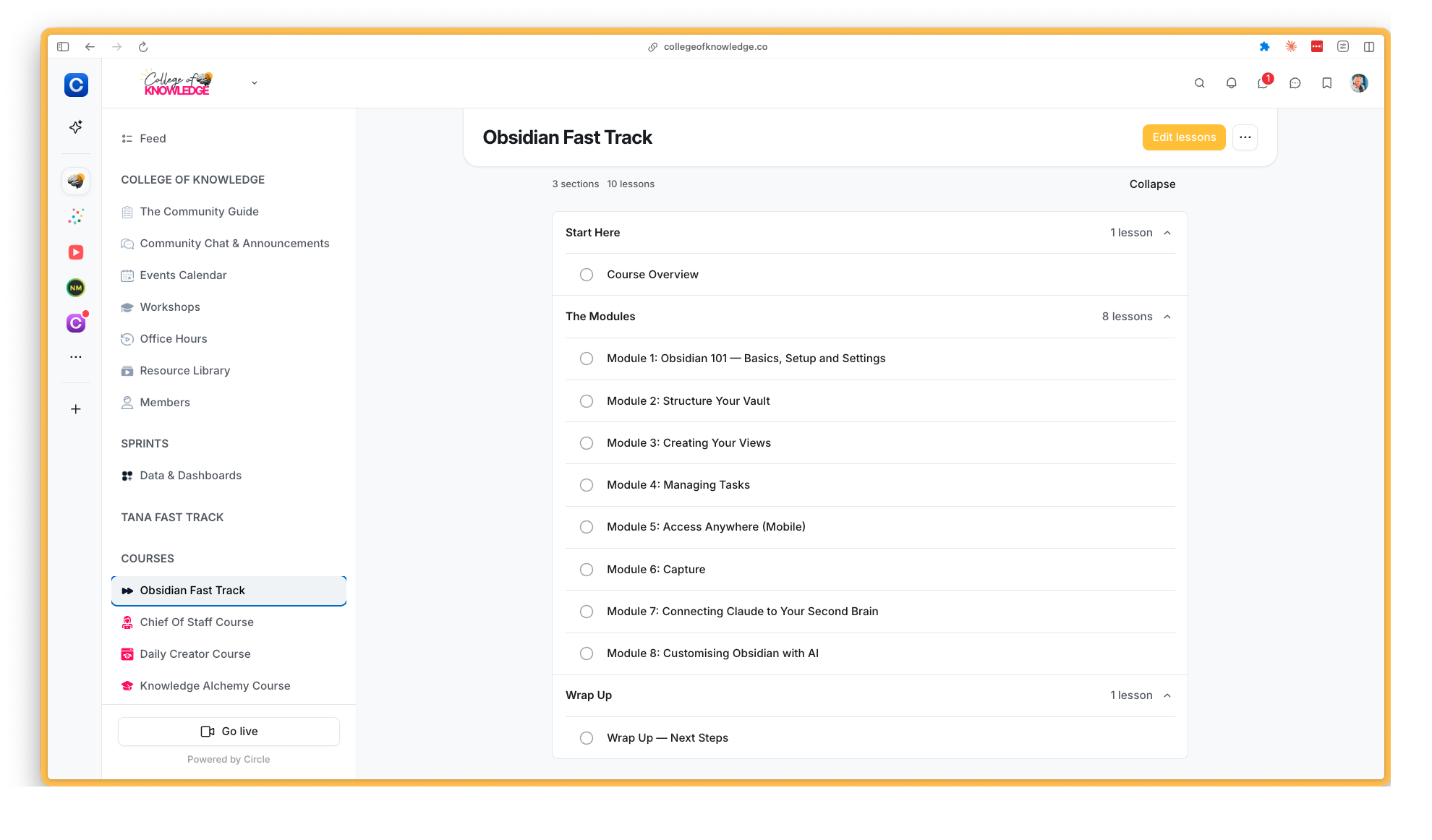
Obsidian Fast Track inside College of Knowledge: the eight modules listed in Circle
Part two · the magic

The Fast Track Vault Toolkit

Hand it to your agent and it sets up your whole vault for you: the structure, the settings, the plugins and the views. You barely build a thing yourself.

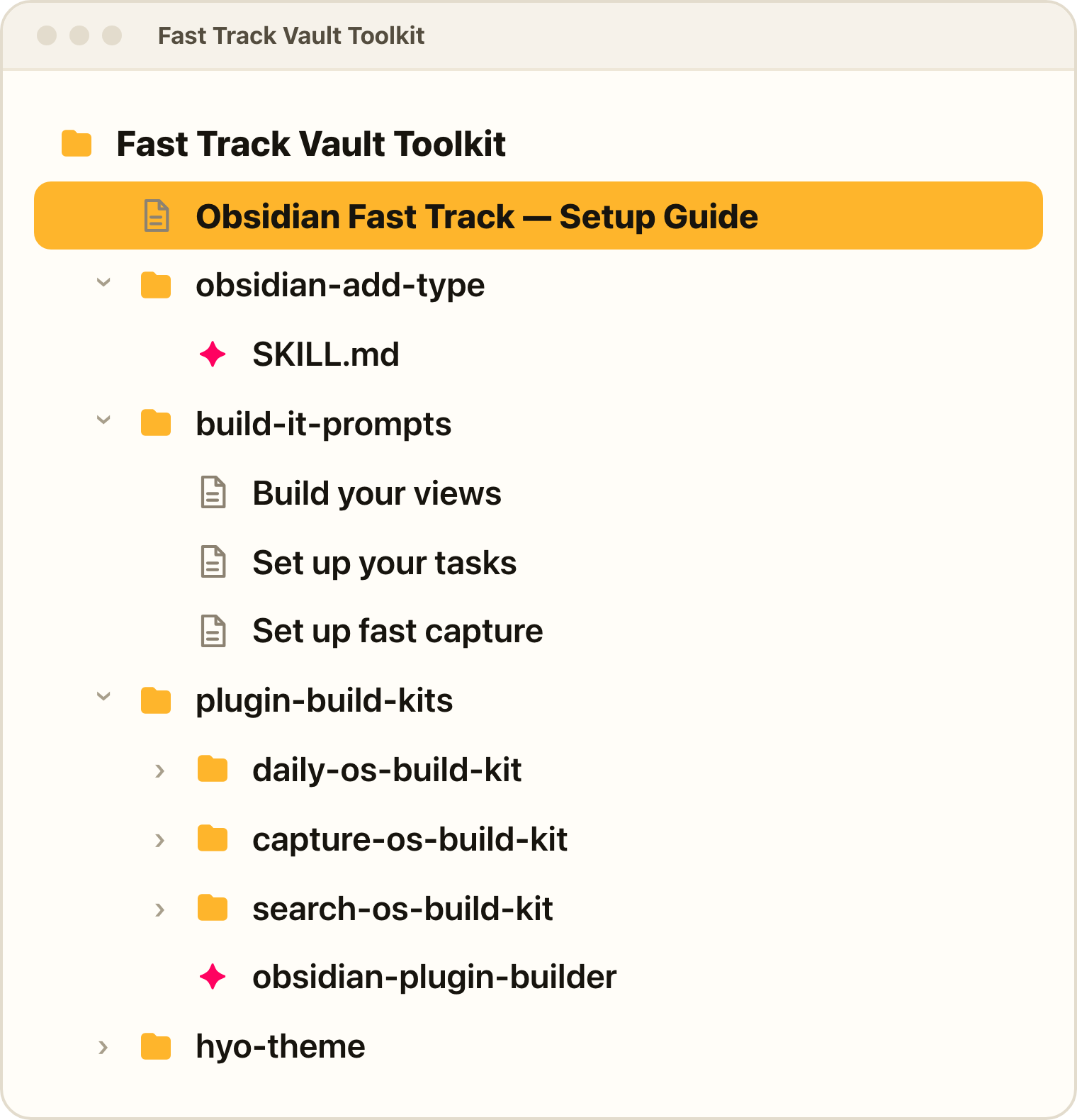
  • The setup guide. Hand it to your agent and it builds the whole structure for you: seven types, the plugins that power them and the settings to match. Already using Obsidian? It builds into the vault you've got and leaves everything else alone.
  • The add-type skill. Any new type you need, from one sentence.
  • Build-it prompts for your views, your tasks and your capture. They ask how you work and get your agent to build exactly that.
  • Three plugin build kits and the Plugin Builder Skill. Daily OS, Capture OS and Search OS built into your vault in minutes, and any other plugin you can describe.
  • The Hyo theme. Ev's own theme, so your vault looks the part from day one.
The Fast Track Vault Toolkit folder: the setup guide, the add-type skill, build-it prompts, the plugin build kits and the Hyo theme

Ask Ev

Post under any lesson and get an answer from Ev.

Lifetime access

Obsidian keeps changing. Buy it once and keep every update.

Learn anywhere

Watch on your desktop or your phone, in the browser or the Circle app.

The fun part

Customise your operating system

If you want Obsidian to become a truly personalised app that runs your work and life, this is where the fun comes in. In Obsidian Fast Track you'll learn how to customise your operating system with plugins your agent builds for you. Until recently that meant finding a developer or learning to code. Now it's a conversation.

The course comes with three build kits, designed so you can hand them to your agent and have each plugin set up in your vault in minutes:

Build kit 1

Daily OS

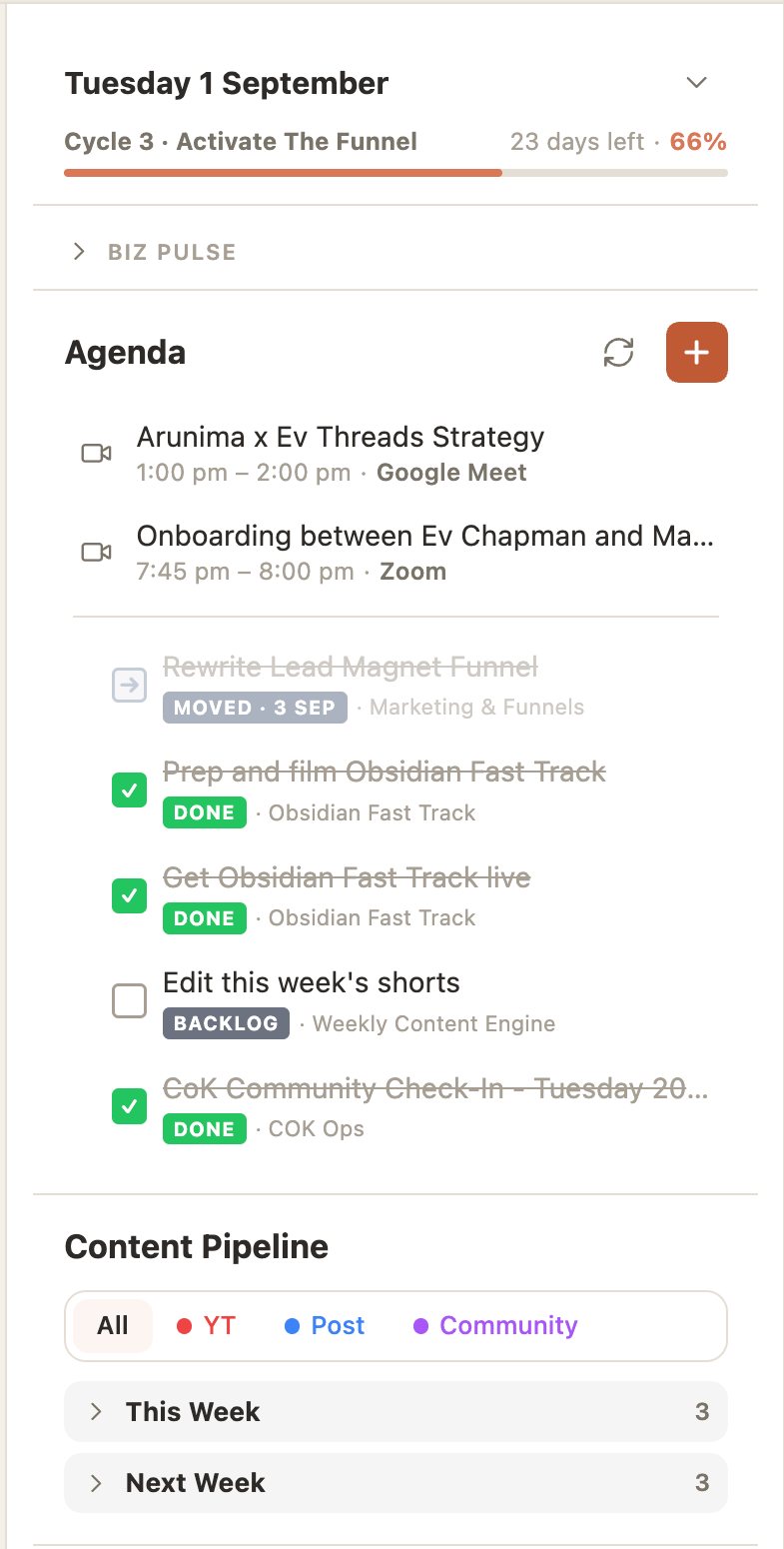
Your day on one screen: calendar, tasks, what’s in the pipeline and what needs you, the moment you open Obsidian.

The Daily OS panel in Obsidian: the date and cycle, today’s agenda, tasks and the content pipeline
Build kit 2

Capture OS

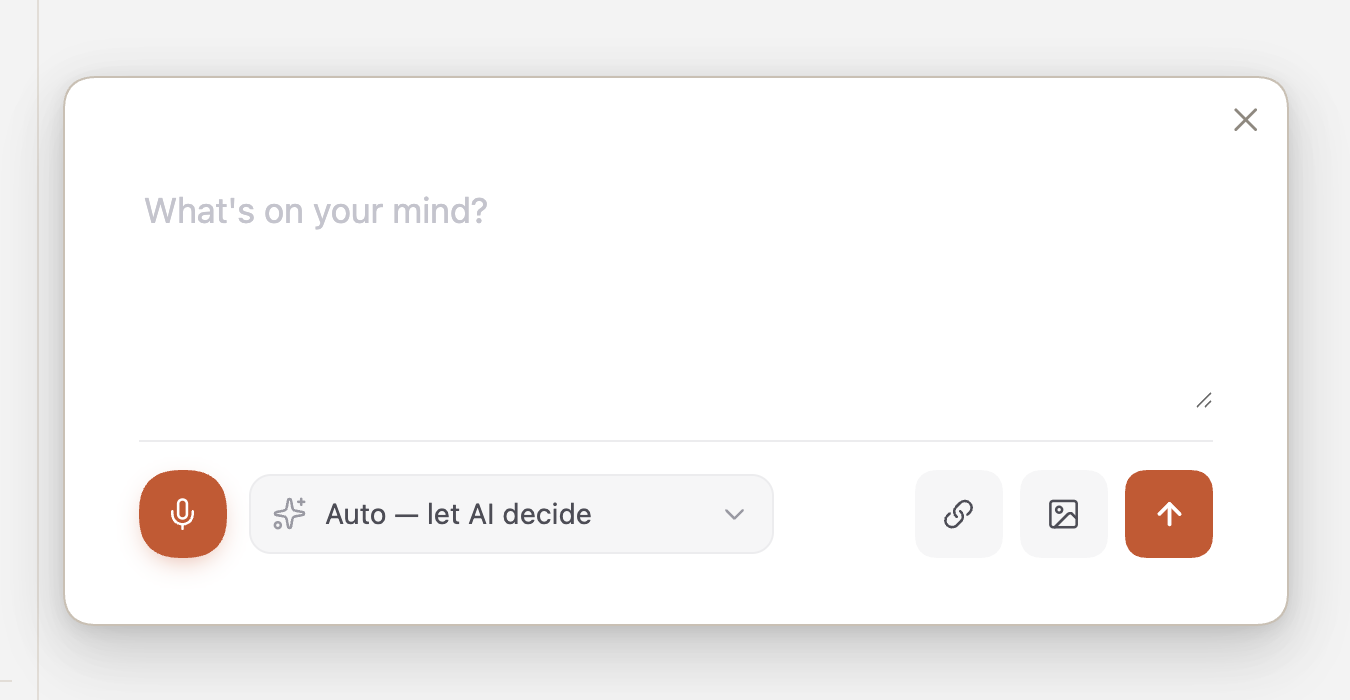
Get things into your second brain... FAST by typing or talking and have your agent organise it into the right place.

The Capture OS window in Obsidian: type or talk, and let your agent decide where it goes
Build kit 3

Search OS

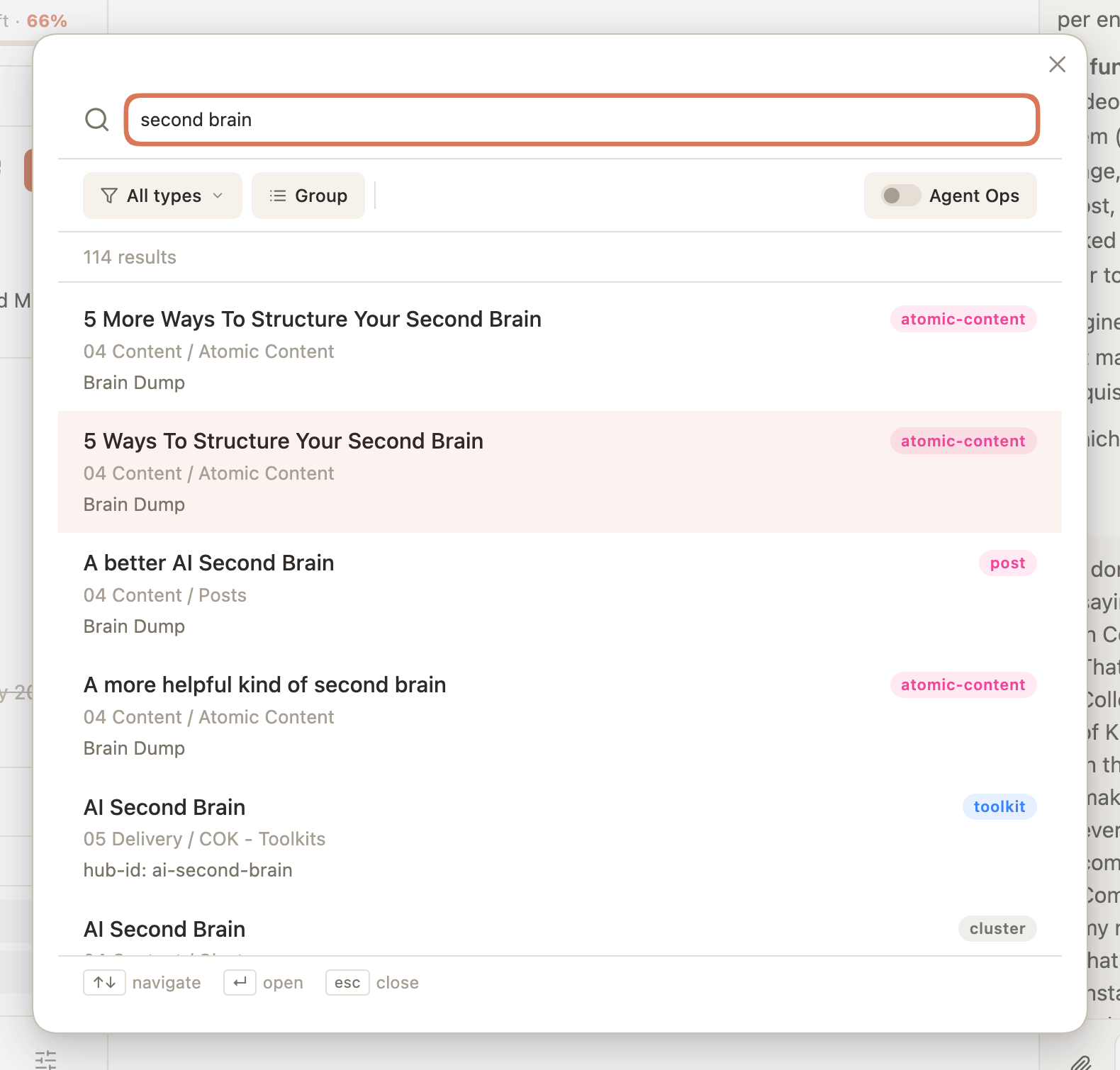
Ditch Obsidian’s terrible search panel and build your own.

Search OS in Obsidian: a search for “second brain” with results grouped by type

Plus: the Obsidian Plugin Builder Skill, so your agent can build a plugin for anything you can imagine.

The modules

What we'll cover in Obsidian Fast Track

1
Module 1

Obsidian 101

Get comfortable in Obsidian fast: vaults, notes, getting around, and the settings that actually matter.

Lessons covered in module 1:

  • Install Obsidian and set up your vault
  • Notes, links, properties and getting around
  • The settings that actually matter
  • Themes and community plugins
2
Module 2

Structure Your Vault

Set up the types that hold your whole life, projects, tasks, people, meetings and notes, and connect Claude to your vault.

Lessons covered in module 2:

  • Connect your vault to Claude
  • The Types system, with a tour of Ev's vault
  • Areas, tasks, projects, people, meetings, docs and notes
  • Watch Claude create a whole new type from one sentence
3
Module 3

Creating Your Views

Build the boards, tables and calendars that surface the right things when you need them.

Lessons covered in module 3:

  • Table and card views: sorting, grouping and filtering
  • Watch Claude build a filtered view from one sentence
  • Kanban and calendar views
  • Embedding views inside your hub notes
4
Module 4

Managing Tasks

Run your tasks next to the projects and people they belong to, with an agenda you'll actually use.

Lessons covered in module 4:

  • Set up TaskNotes and migrate your existing tasks
  • Calendar, Kanban and agenda views
  • Custom statuses and inline tasks
  • Time blocking
5
Module 5

Access Anywhere

Set up your phone so the whole system travels with you.

Lessons covered in module 5:

  • Sync your vault to your phone
  • First-time setup and getting around
  • Configure your sidebars
  • A tour of Ev's phone setup
6
Module 6

Capture

Get things out of your head in one tap, on desktop or phone, filed where they belong.

Lessons covered in module 6:

  • Desktop capture with hotkeys and the command palette
  • Mobile capture with iOS shortcuts and widgets
  • Voice capture
7
Module 7

Connecting Claude to Your Second Brain

Give your agent a home inside your vault, with search that works by meaning and Claude in a panel beside your notes.

Lessons covered in module 7:

  • The CLAUDE file
  • The Agent Operations folder inside your vault
  • QMD semantic search
  • Hyo: talk to Claude inside Obsidian, on desktop and mobile
  • Voice mode
8
Module 8

Customising Obsidian with AI

Make Obsidian look and work the way you want: themes, snippets and custom plugins built in a conversation.

Lessons covered in module 8:

  • Themes and CSS snippets
  • Watch Ev fix the ugly bases live
  • Custom plugins: Daily OS, Capture OS and Search OS
Ready to get on the Fast Track?

Purchase Obsidian Fast Track

Stop running your life out of five apps. Build the one system that holds all of it, in Obsidian, this week.

Get this course free when you join College of Knowledge Membership

All of my courses and templates (including this one) are included inside my College of Knowledge Membership.

Joining makes a lot of sense: instead of purchasing courses individually, you'll get access to everything.

  • The Vault of all my workshops, toolkits and premium courses (including Obsidian Fast Track)
  • Monthly live workshops to help you build and refine your knowledge systems
  • Weekly office hours for direct support and coaching
  • Community of knowledge professionals building high-performance systems

So rather than buying this course on its own, get it, and everything else, inside the College of Knowledge from just $47/month.

JOIN COLLEGE OF KNOWLEDGE FROM $47 USD/MONTH →
Is this you?

Who Obsidian Fast Track is for

If you want one system for everything you're running, built in Obsidian and working this week, this is for you.

Obsidian Fast Track is probably not for you if you want to debate tools or the philosophy of note-taking. We're here to get set up.

Before you ask

Frequently asked questions

Do I need to know Obsidian already?

No. Module 1 gets you comfortable fast, and if you're already there you can start at Module 2.

Do I need Claude?

You need an agent that can work in your vault folder, because it does the building for you. Claude Code or Claude Cowork is what you'll see in the course, and Codex with ChatGPT works just as well. Connecting it is covered in Module 2 and takes minutes.

I already have a vault. Will this mess with it?

No. The setup adds to what's there and leaves everything else alone.

Mac or Windows?

Both.

I've done Tana Fast Track. Is this the same course?

Same way of thinking, built for Obsidian. If you're moving across or running both, this is how you bring it with you.

Do I get updates?

Yes. Obsidian and its plugins move quickly and the course moves with them.

Ev Chapman
About Me

Ev, your teacher

I've been coaching & building knowledge workflows for individuals & businesses for over 12 years. So I know how to create systems that people will actually use.

My approach is all about simplicity — breaking down complex ideas into easy, practical steps anyone can follow. You name an app, I've used it & built workflows with it.

You'll find that my teaching style is anything but dry or boring (check out my YouTube videos if you want to get my vibe!).

Here's what some people have to say about my teaching vibe

"One of the most approachable, enthusiastic, and creative educators I've met"Robert Haisfield
"Ev does an excellent job teaching. This is a nice intro to Tana & some "big sister" like advice…"TFT Hacker
"Her way of teaching tremendous knowledge, and a deep understanding of what she teaches combined with her sparkling energy helped me to build my PKM…"Monika
"She's clear and engaging & has a pace that fits my speed of thought…"Kristian
"She's very down to earth and uses "smooth brain" language instead of a bunch of tech terms…"Tamera

Turn Obsidian into a
high-performing operating system
for your work and life

Get Started — $147 USD