TanaGPT Pro Template

The only AI workspace you'll ever need

Because it's built into the one you already use. Build your own GPTs. Access every major AI model. No need to touch a single Custom Command — even once. TanaGPT Pro makes building your own GPTs in Tana as easy as adding a Supertag.

Get TanaGPT Pro
Introducing TanaGPT Pro

All your GPTs, one unified workspace

It's 2:47 PM. You're deep in a project when you need some AI help. You fire up ChatGPT in a new tab, lose your context, copy-paste information back and forth, then remember Claude might be better for this task...

So you open Claude, re-explain everything again, get a good response, but now you can't remember which AI said what. Meanwhile, your actual work sits in Tana, completely disconnected from these AI conversations.

If this sounds familiar, you're not alone.

What if I told you there's a way to have ALL your GPTs inside your Tana workspace connected to all your existing knowledge, but without any of the complicated, technical setup of custom commands?

TanaGPT Pro brings every ChatGPT, Claude Project, and AI agent you've built into your Tana workspace where it's connected to your knowledge, organised and in the place you actually do work.

Plus I've eliminated all the technical barriers to setting up custom AI commands. You literally won't have to touch a single custom command — ever.

What you get in the template

Everything you need to end AI chaos forever

Context-aware GPTs

Your AI finally understands your work because it lives inside your knowledge system. Reference any note, project, or piece of information in your Tana workspace instantly. No more copy-pasting context between apps.
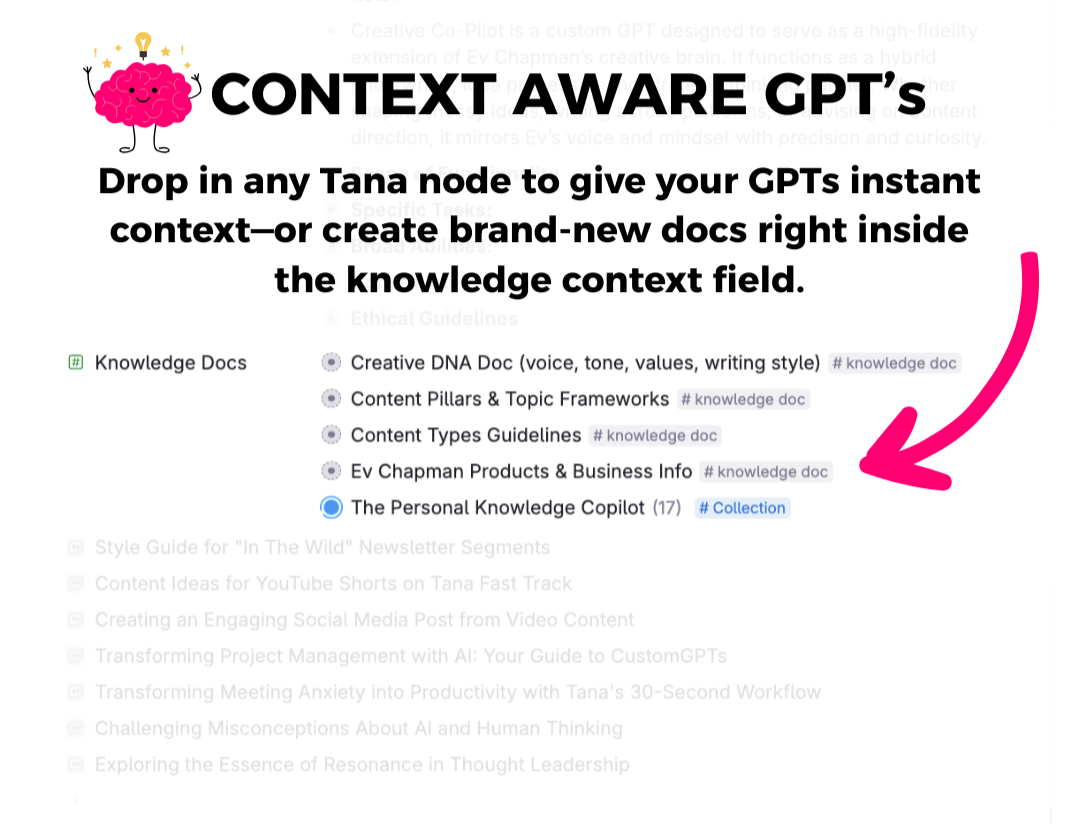
A GPT in Tana with a Knowledge Docs field — a creative DNA doc, content pillars and a whole collection of notes dropped straight in as context

Swipe the screenshot to see it full size →

Project-connected GPTs

Your GPTs become seamlessly integrated into your actual work system—connect them directly to specific projects and clients, organise them using Tana's powerful categorisation tools, and maintain full conversation history for every interaction. No more disconnected external tools that don't understand your workflow.
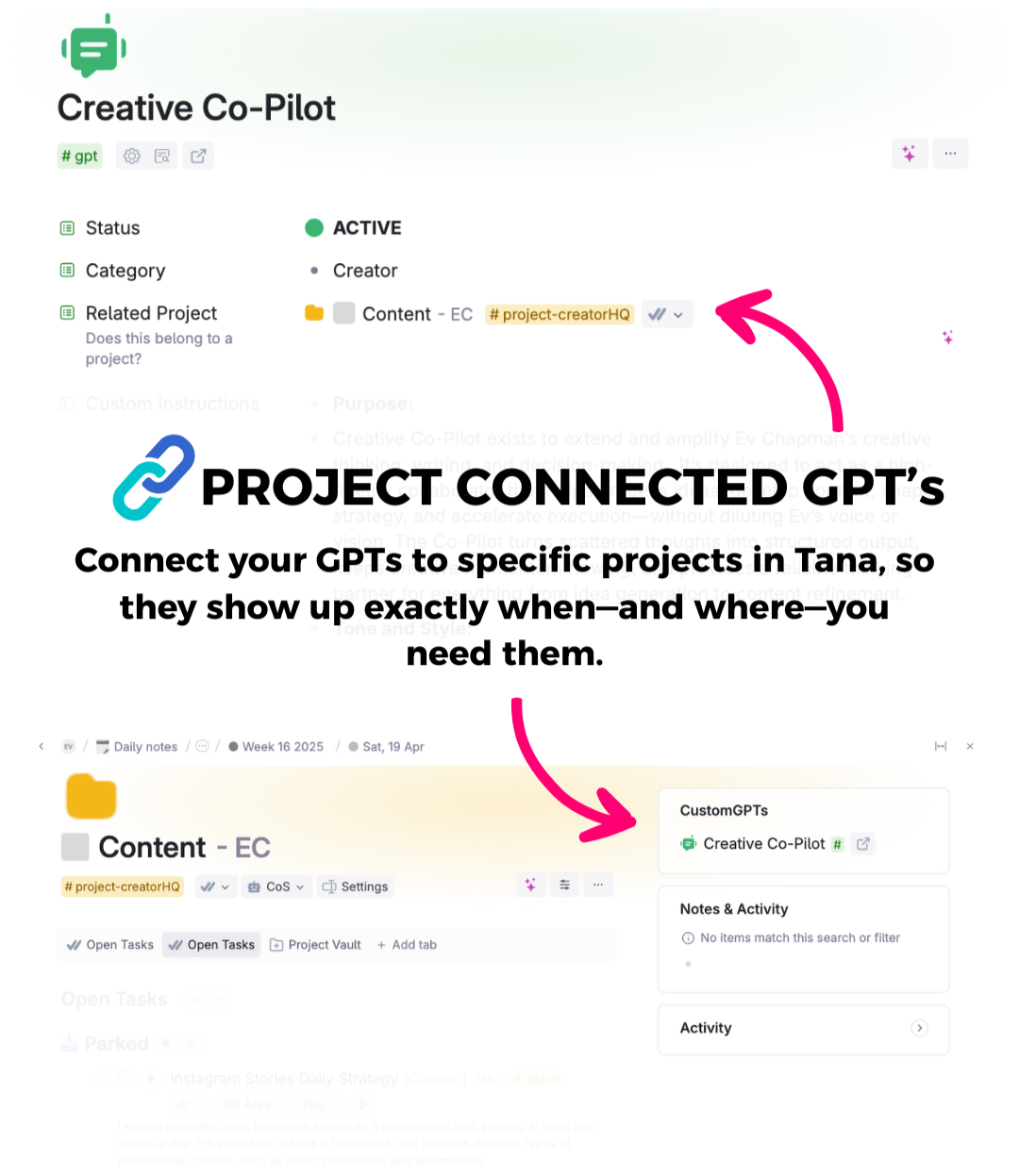
A GPT with a Related Project field pointing at a content project, and the same GPT then showing up in a CustomGPTs panel inside that project

Swipe the screenshot to see it full size →

Zero technical setup required

Never touch a Custom Command again. Seriously. TanaGPT Pro is set up to make it easy to create CustomGPTs using a normal Supertag. What used to require an advanced Tana degree now takes 30 seconds of typing what you want your AI to do into a field. If you can write a note in Tana, you can create a powerful AI agent.
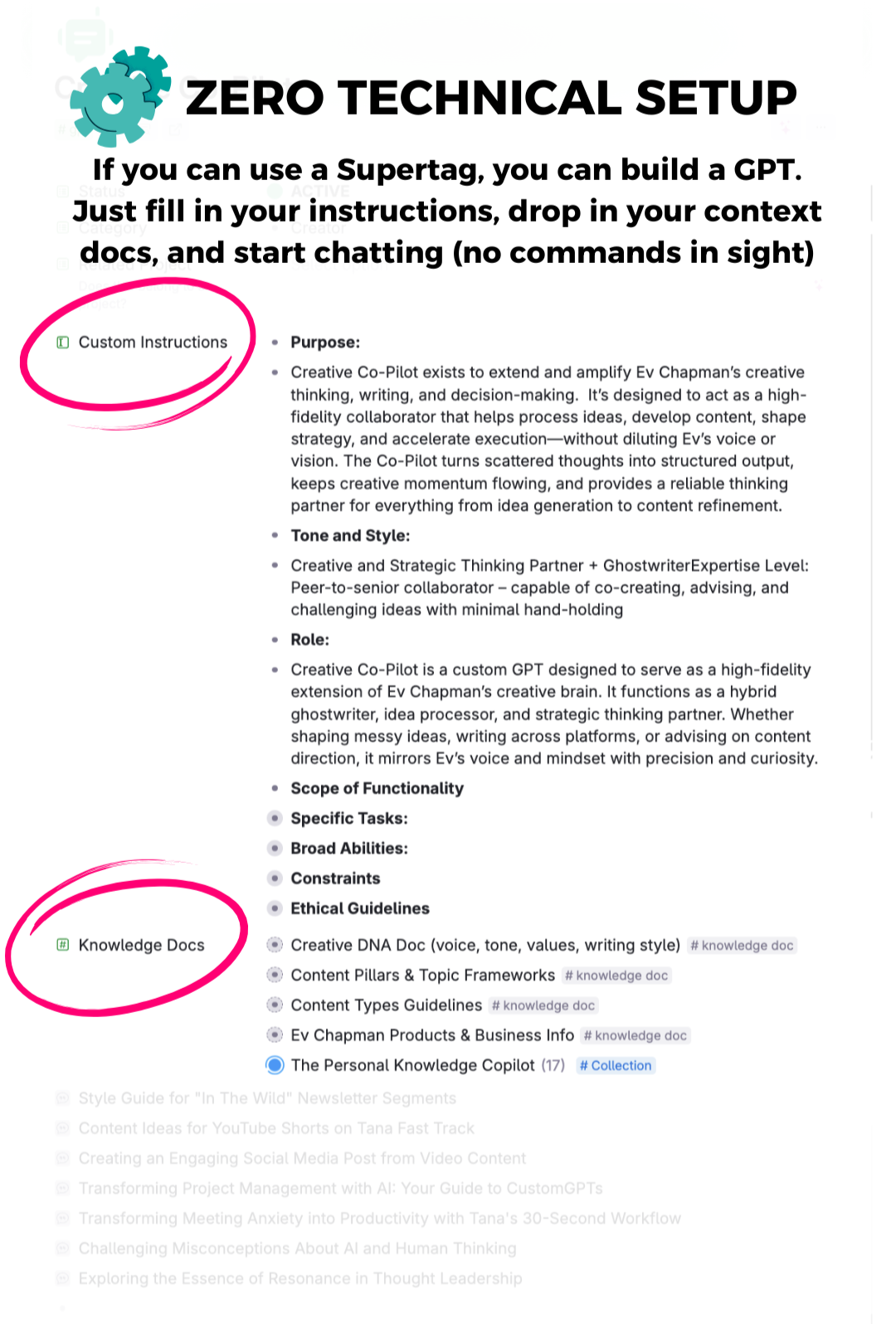
Building a GPT by filling in two ordinary Tana fields — Custom Instructions and Knowledge Docs — with no commands anywhere

Swipe the screenshot to see it full size →

All major AI models in one place

Access ChatGPT, Claude, Gemini, and every other major AI model through one unified interface. Switch between models seamlessly based on what your task needs, without losing context or starting over. No more app juggling—ever.
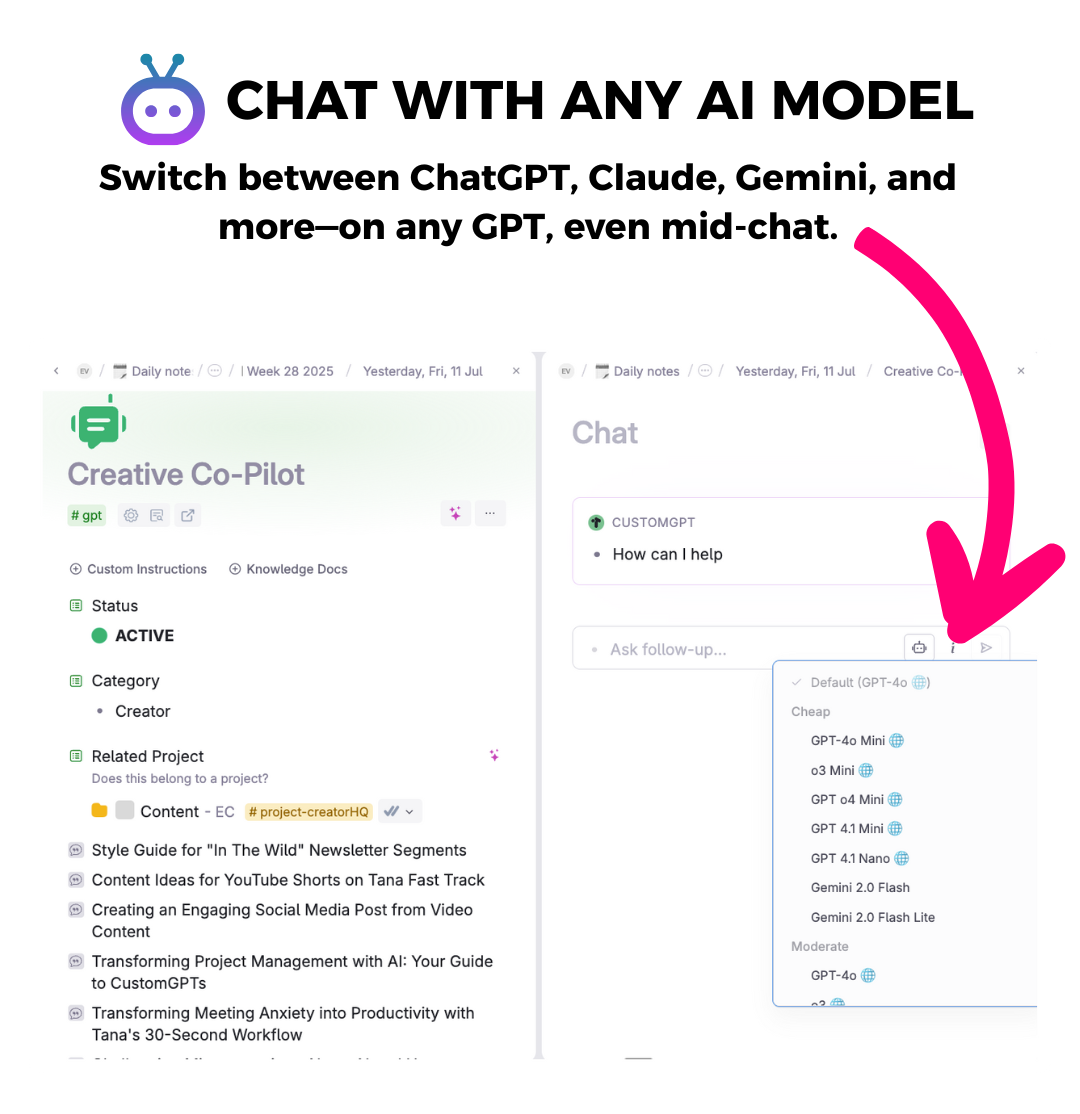
A chat running inside Tana with the model picker open — GPT-4o, o3, GPT-4.1 and Gemini all selectable on the same GPT, mid-conversation

Swipe the screenshot to see it full size →

Built-in prompt optimiser

Plus, you get a secret weapon: the "Improve My Prompt" GPT that transforms your basic instructions into AI-whispering magic. Tell it what you want your GPT to do, and it'll craft instructions that get dramatically better results. It's like having a prompt expert in your back pocket.
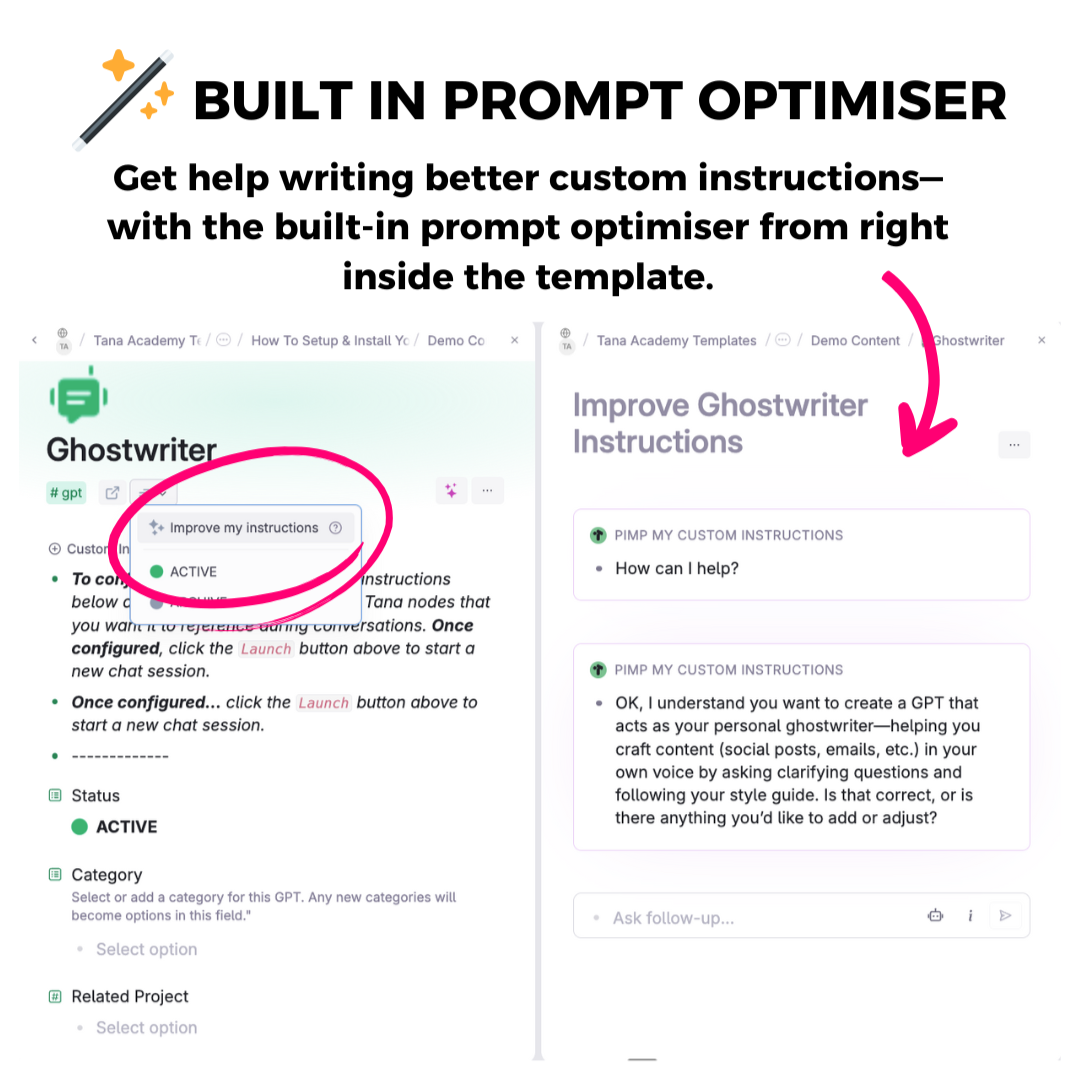
The Improve My Instructions command on a Ghostwriter GPT, with the optimiser writing the custom instructions back to you in the panel beside it

Swipe the screenshot to see it full size →

Ready to build?

Build your AI command centre in Tana today, without the technical headaches

Get this template free when you join College of Knowledge Membership

All of my courses and templates (including this one) are included inside my new College of Knowledge Membership.

Joining makes a lot of sense — instead of purchasing individually, you'll get access to everything:

  • The Vault of all my workshops, templates, and premium courses (including Build a Chief of Staff)
  • Toolkit Hub pre-built systems, skills & capabilities that you can add to build your AI Operating System
  • Monthly live workshops to help you build and refine your knowledge systems
  • Weekly office hours for direct support and coaching
  • Community of knowledge professionals building high-performance systems

So rather than buying this template on its own, get it — and everything else — inside the College of Knowledge from just $47/month.

JOIN COLLEGE OF KNOWLEDGE FROM $47 USD/MONTH →

Or get TanaGPT Pro free when you buy the Tana Fast Track course — the full course on building your workspace, with every one of my Tana templates included.

Before you ask

Frequently asked questions

Do I need to be technical or know Tana commands to use this template?

No, you don't need any technical expertise. This template was built specifically to eliminate the need for having to setup custom commands. If you can write a note in Tana, you can create an AI agent with TanaGPT Pro.

Will this work on mobile?

Unfortunately, no. At this time, you can't use AI on the Tana mobile app.

Are there any limitations I should be aware of?

Yes. Tana AI does not allow you to upload images or PDFs — it's currently limited to text only.

What AI models are supported?

Tana supports all major AI models, including ChatGPT, Claude, and Gemini, allowing you to switch seamlessly between them.

Is there a setup process involved?

The setup is incredibly simple. It'll take you less than 10 minutes and doesn't involve setting up any complicated custom commands.

Turn your Tana workspace into the AI command centre it was meant to be

BRING MY GPTS INTO TANA →