TimeWise Time Tracker for Tana

You keep your tasks in Tana — you should be able to track your time in Tana too

Forget about using external time-tracking apps. TimeWise is a plug-in template that works on top of the task system you already have — and takes less than five minutes to set up.

Get TimeWise — $7 USD
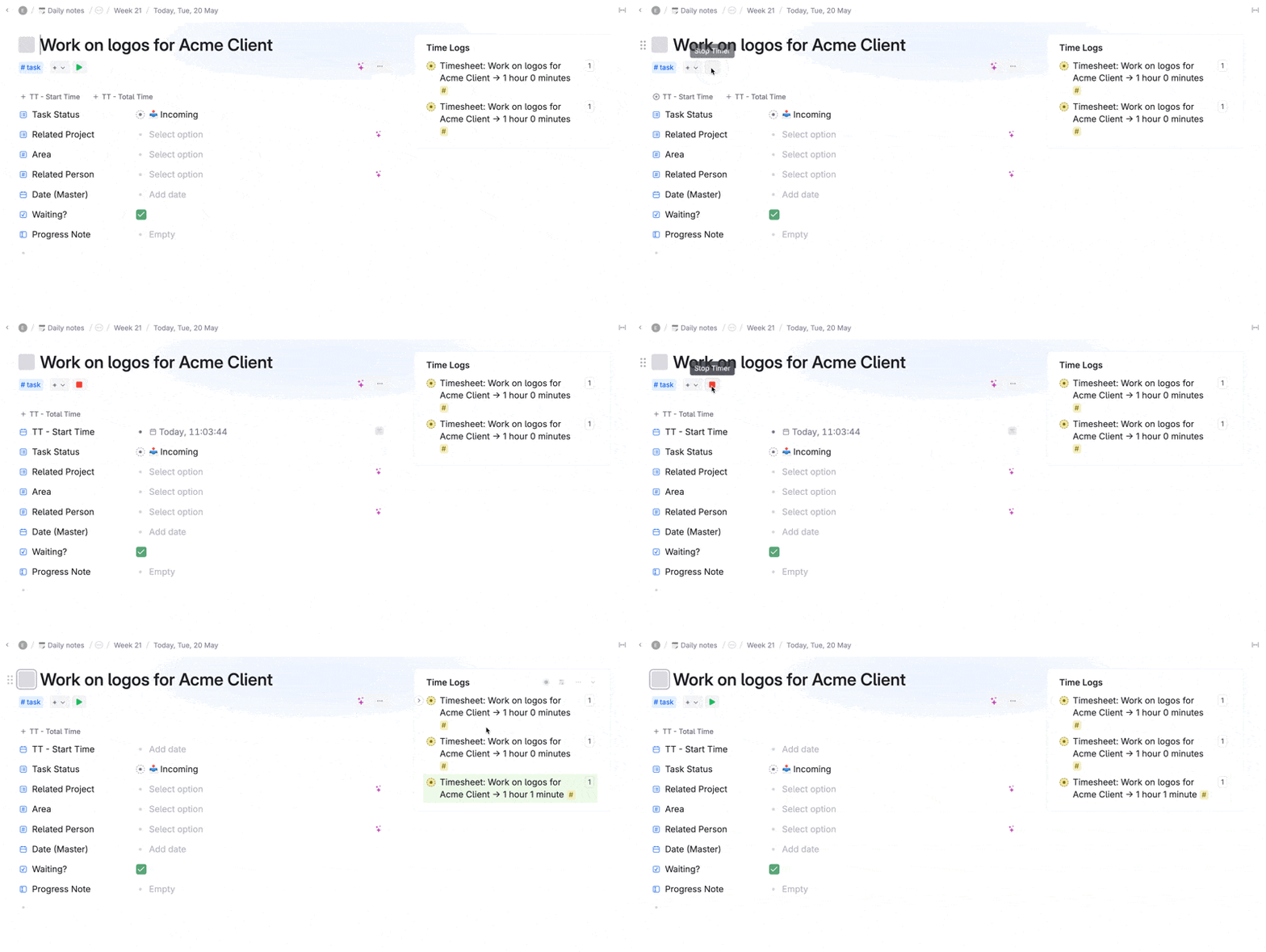
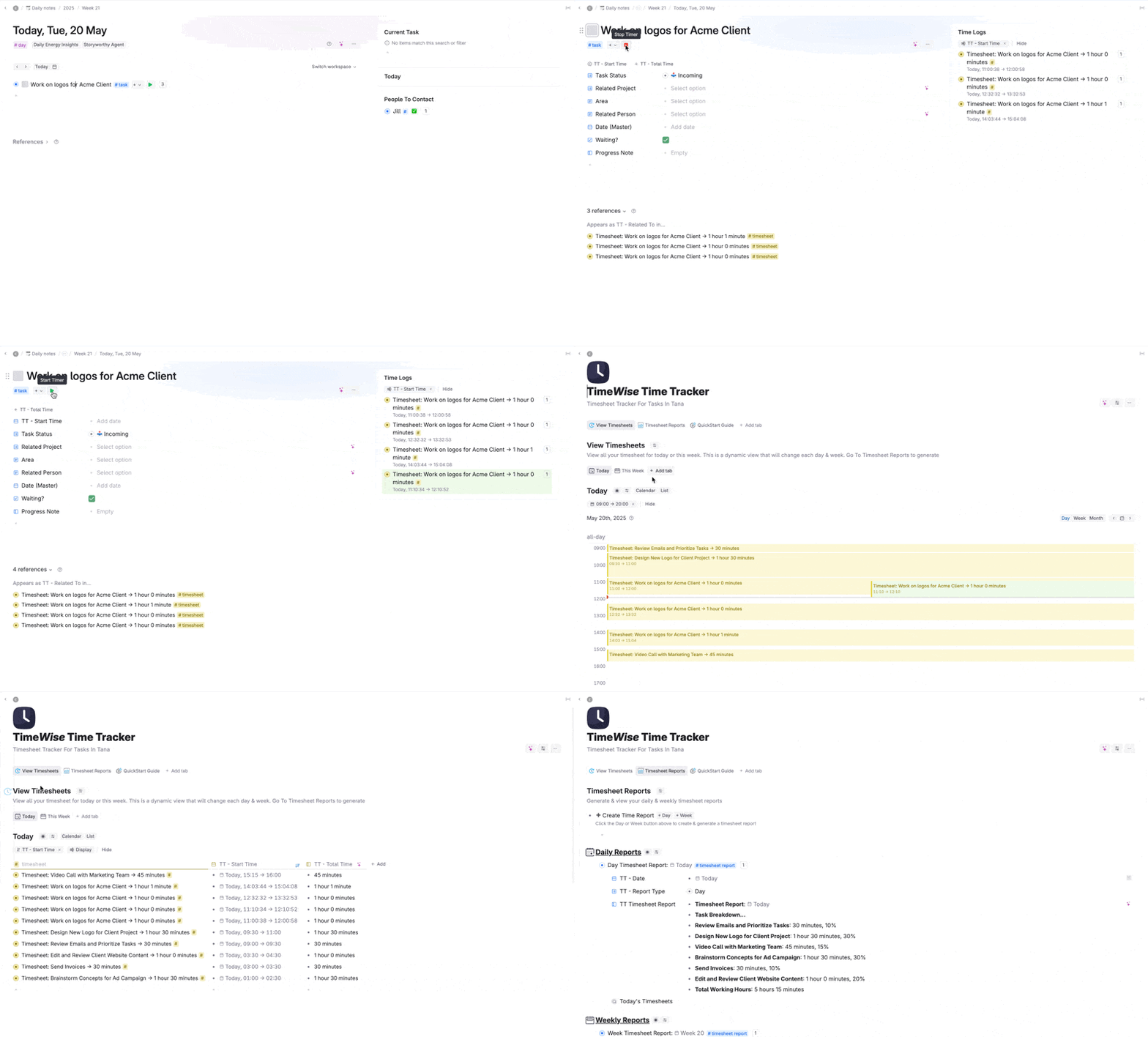
Animation: a task in Tana being timed — the Stop Timer button is clicked and three timesheet entries appear in the Time Logs panel, adding up to the total time on the task

Swipe the screenshot to see it full size →

The daily tax

Your tasks live in Tana. Your timer doesn't

If the work already lives in Tana, tracking the time somewhere else costs you something every single day:

  • You start the task in Tana and forget to hit start in the other app — so the hour never gets counted
  • Your timer app and your task list disagree, and neither of them is the timesheet the client actually asked for
  • Friday arrives and you rebuild the week from memory, browser history and guesswork

Throw away your external time-tracking apps.

Introducing

The TimeWise Time Tracker for Tana

Track the time you spend on tasks, view your timesheets and generate timesheet reports using the magic of AI — all in Tana. Easily see where your time is going, without a second app to remember.

See it running

Simply track your time in Tana

Easily see where your time is being spent by tracking the time you spend on tasks in Tana.

Track time against tasks with the click of a button

It's as simple as the click of a ▶︎ button. Start working on a task — click the button. Stop working on a task — click the button. Start working on it again — click the button. OK… you get it!

Record multiple time sessions on a task and Tana will add up the total time.

Animation: clicking the play button on a Tana task starts the timer, clicking again stops it, and each session is logged in the Time Logs panel beside the task

Swipe the screenshot to see it full size →

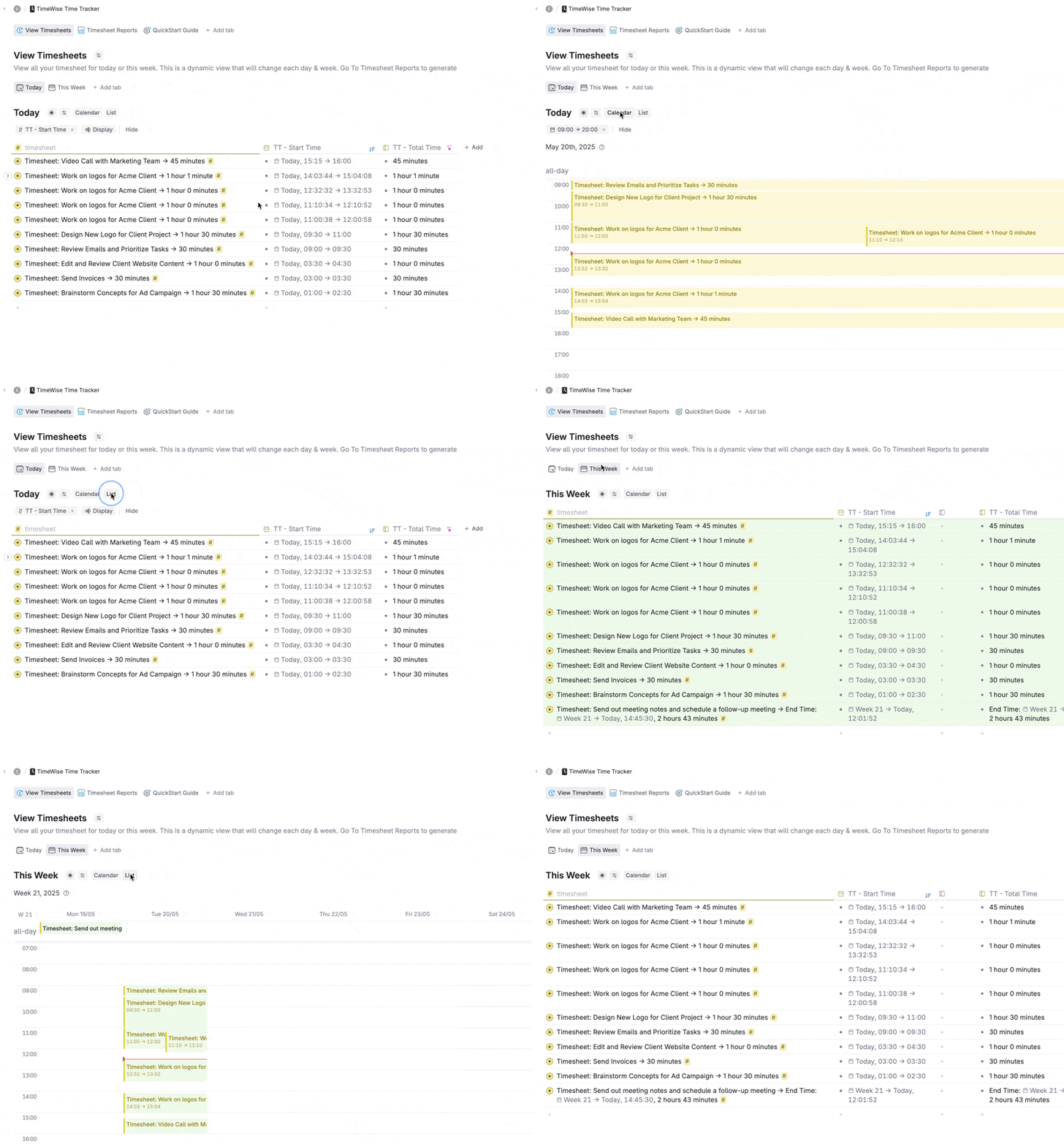
Multiple timesheet views

Easily view your current day and week timesheets in the Timesheet hub. Check what you've been working on during the day, and view everything you've accomplished during the week.

Animation: the View Timesheets hub in Tana, switching between Today and This Week and between calendar and list views, with each tracked session laid out on the day's timeline

Swipe the screenshot to see it full size →

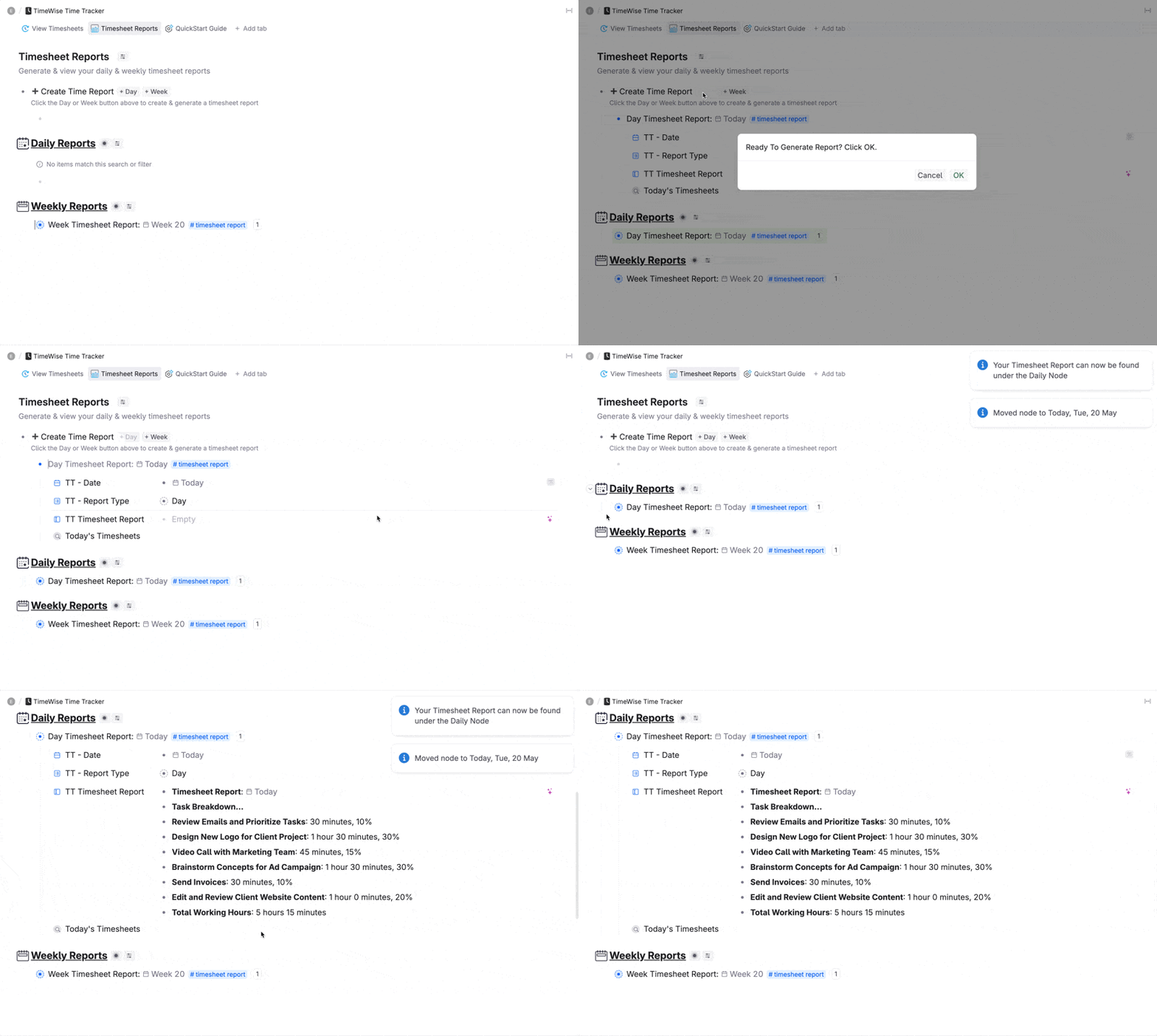
Generate timesheet reports using AI

Gather all your timesheets in one place and generate daily and weekly reports — for clients, for your boss, or just for your own review.

Animation: the Timesheet Reports tab in Tana — clicking Day or Week creates a timesheet report node that AI fills in, filed under Daily Reports and Weekly Reports

Swipe the screenshot to see it full size →

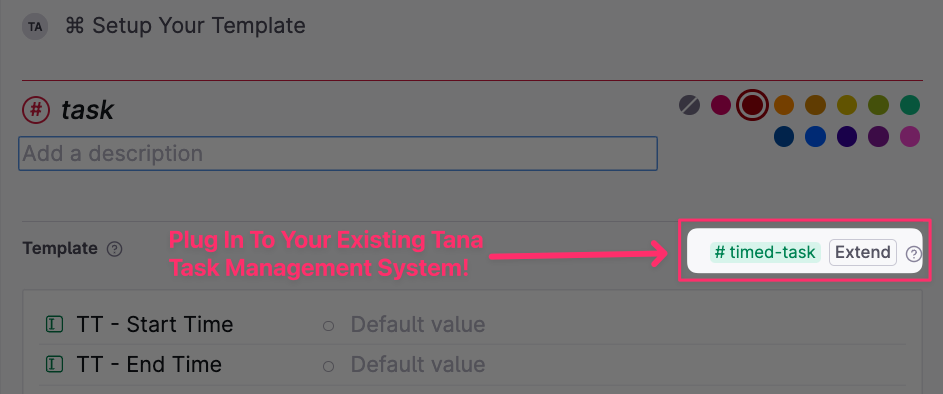
Plug it in to your existing Tana task system

TimeWise is designed as a kind of "plug-in template", so it works on top of any task system you already have set up in Tana. That means no duplicated task supertags and no complicated configuration. And it'll take you less than five minutes to set up.

Tana's supertag settings showing the existing #task supertag being extended to the #timed-task tag that comes with the template

Swipe the screenshot to see it full size →

Ready to track?

Get the TimeWise Time Tracker for Tana

$7 USD, one payment, instant access. Track the time you spend on tasks, view your timesheets and generate timesheet reports using the magic of AI in Tana.

Get this template free when you join College of Knowledge Membership

All of my courses and templates (including this one) are included inside my new College of Knowledge Membership.

Joining makes a lot of sense — instead of purchasing individually, you'll get access to everything:

  • The Vault of all my workshops, templates, and premium courses (including Build a Chief of Staff)
  • Toolkit Hub pre-built systems, skills & capabilities that you can add to build your AI Operating System
  • Monthly live workshops to help you build and refine your knowledge systems
  • Weekly office hours for direct support and coaching
  • Community of knowledge professionals building high-performance systems

So rather than buying this template on its own, get it — and everything else — inside the College of Knowledge from just $47/month.

JOIN COLLEGE OF KNOWLEDGE FROM $47 USD/MONTH →
Before you ask

Frequently asked questions

Do I need a Tana account to use this template?

Yes, you need an existing Tana account to use this template.

I have my own task supertag — will I have to create a new one to use the template?

Nope. The TimeWise tracker works with any existing supertag you have for organising your tasks. Simply extend your current supertag to the timed task tag provided in the template.

Do I need Tana AI to use this template?

Yes, you need to have a Tana Pro paid account to be able to use the functionality of this template.

Keep your tasks and your time in the same place.

Get TimeWise — $7 USD