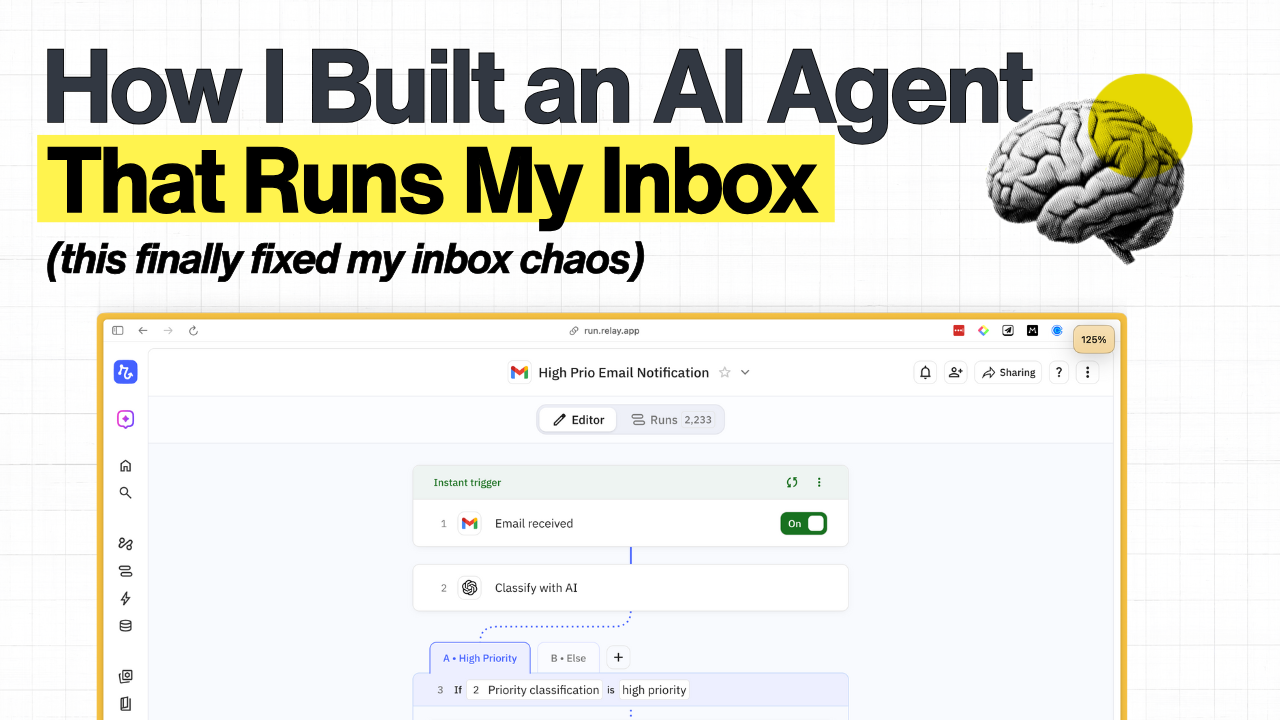
How I Built an AI Agent That Runs My Inbox (So I Don’t Have To)
I hate email.
Like, really hate it. I’ve been avoiding my inbox for years. The constant-ness of it, the mental load of figuring out what’s actually important, the anxiety of wondering if I missed something urgent buried under those 47 newsletters I’ll never read 😉
So a few months ago, I finally did something about it. I built an AI agent that handles my entire inbox for me.
And honestly? Even I was surprised at how good this thing is.
Here’s what happens now: Every morning at 5am, I get a Slack message with a neatly organised email digest. First, anything urgent from yesterday that I actually need to deal with. Customer support stuff, sales questions, anything time-sensitive. Second, interesting reads. Newsletters I might want to look at, updates from people I care about, that kind of thing.
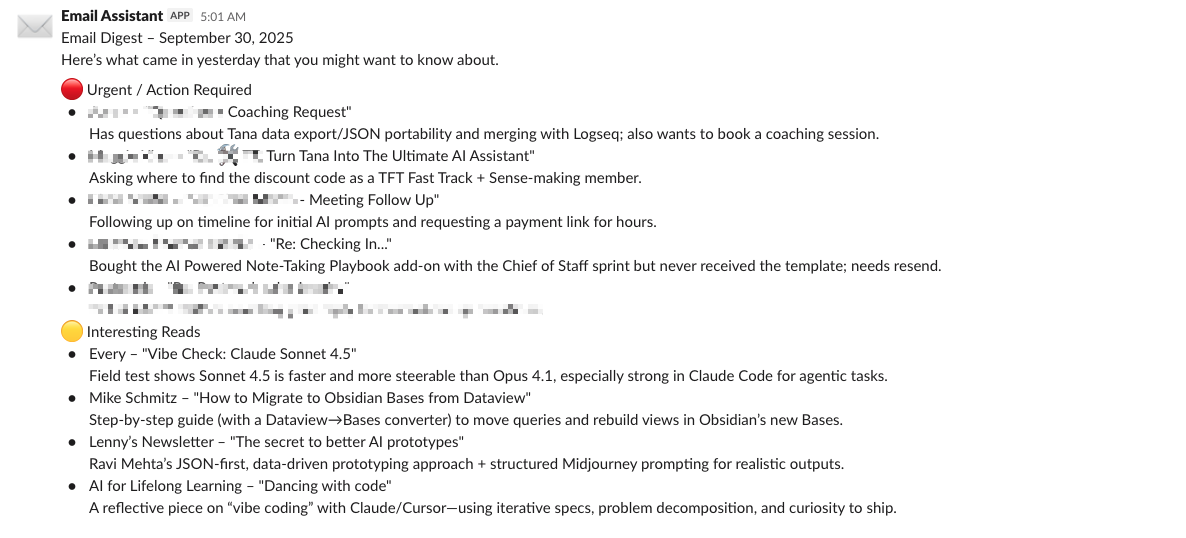
That’s my entire inbox. Sorted & scannable in 30 seconds so I can easily deal with it.
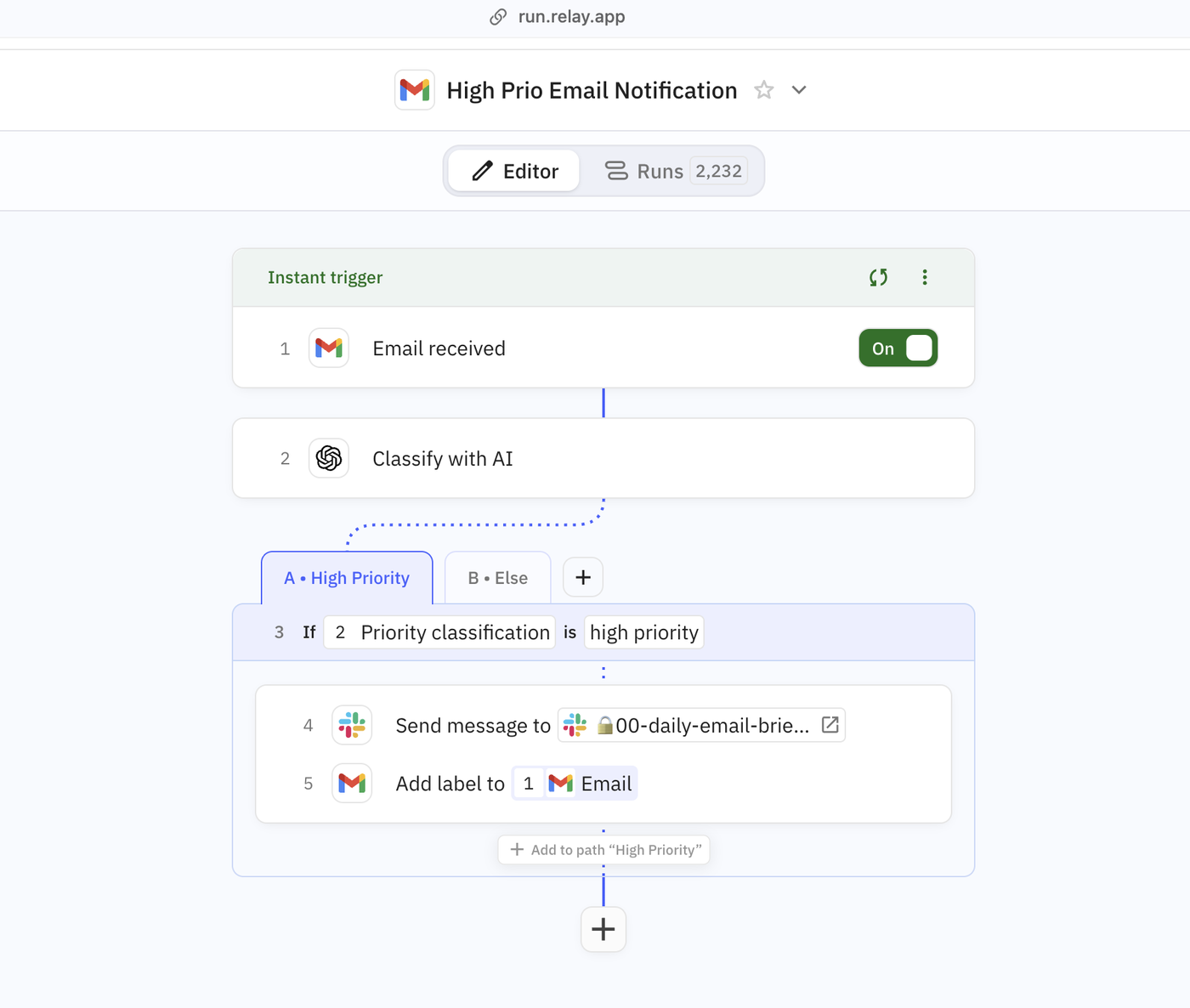
And if something really important comes up during the day like a customer support request or someone asked about one of my products I get notified about it immediately in Slack.
So I can jump on it fast without having to live in my inbox all day.
I’ve been running this for workflow for months now & the relief is honestly kind of ridiculous. I don’t think about email anymore because my AI Assistant takes care of it.
The One Tool That Made This SO easy
I built the whole thing in Relay.app.
I discovered Relay a few months back & it’s become my new favourite automation tool. It’s got automation (think something like Zapier) integrated with AI agents. Which basically means you can build really smart workflows like this simply & easily.
I built two workflows (agents) for inbox management.
The first is my VIP Agent. This one notifies me in Slack when any important emails come in. All I had to do for this one was train it on what was a VIP email for me. I put a knowledge doc together that outlined what was VIP and what wasn’t and uploaded it to Relay with the workflow.
It also stars each VIP email so when I need to reply I can just go to my starred folder and find them all there.
It works incredibly well.
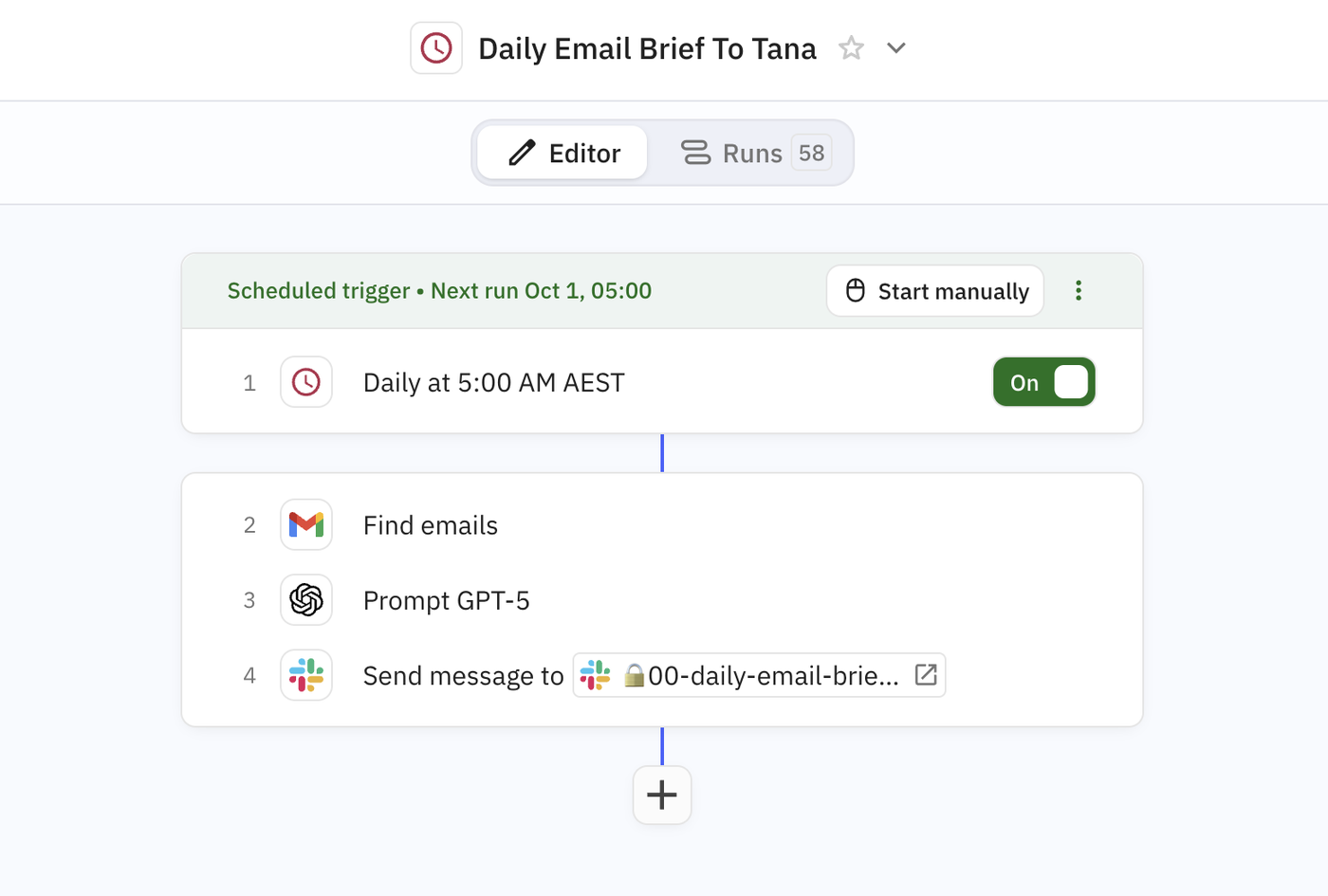
The second workflow I built was a daily email digest. Before I built this in Relay I was using Claude to give me a daily debrief of my emails. But I love having Relay just send me this in Slack each morning.
It scans all the emails from yesterday and sorts them into VIP (anything that I haven’t read or replied to yet) and Interesting reads. I still LOVE reading newsletters, so it’s nice to see what’s come in and I can go and read through some.
Honestly with these two agents working together it feels like I have an actual assistant in my inbox constantly, sorting out what’s important and what I need to know about.
And I’m blown away by how easy this was to actually setup. I think the perception is that workflows like this are complicated. But Relay.app made it so easy.
And now I’ve got the basics of this running I’m thinking about a few upgrades:
- I want to setup a step so all the newsletters get filed into a folder. That way if I want to read anything I can just open up that folder and find it.
- Eventually I’d like to train the agent to draft replies for me. I’ve been slowly building a knowledge doc that has access to product links, and frequently asked questions that it can have access to.
- One thing that Relay can do is something call ‘human in the loop.’ Which means it could draft an email and then ask me to confirm if I want it sent. I like this kind of automation because it feels like I can still have some control.
The more I use Relay, the more agents I want to build. I’m thinking about it not as a tool, but as my first (& number one) employee.
That’s what I Knowledge Work 2.0 actually is. Not replacing yourself with AI. Building a little digital team that handles the repetitive stuff so you can focus on your highest ROI activities.
If you want to see exactly how I setup these agents and build one yourself I just published a video on how I did it with everything - the prompts, the structure, the knowledge context. Takes about 10 minutes to watch & maybe 30 minutes to build for yourself.
If you’ve been putting off dealing with your inbox (like I did for years), this might be the thing that finally fixes it.
Because you don’t need to spend hours on inbox zero. What you need is a little bit of inbox peace.
— Ev
Whenever You’re Ready To Transform How You Work With An Intelligent Personal Knowledge System. Here’s how I can help…
- Subscribe to Knowledge Work: Rebooted for weekly workflows, frameworks, tools, agents & prompts to help you build an intelligent personal knowledge system built for the way we do work now.
- Learn how to build a personal creative co-pilot that can 10x your output with my signature AI co-pilot method in the Creative Co-Pilot masterclass.
- I recently did a workshop on how to build a sense-making knowledge system by taking the work you do everyday and using AI to be a ‘sense-maker’ in the chaos.

Comments