You Probably Know This Frustration All Too Well...

You sit down to work on a project and the first thing you do is... not the work.

You're hunting for the doc someone sent last week. You're checking Slack for that link. You're opening your notes app to find what you jotted down after the last meeting. You're trying to remember what you actually decided on the call.

By the time you've gathered everything you need, 15 minutes have gone and your focus is already scattered.

This is the hidden cost of scattered work. It's not just the time you lose pulling things together. It's the mental energy of context-switching between apps, the ideas that slip through the cracks because they weren't connected to anything, the constant low-grade anxiety that you're forgetting something.

You're working on working before you ever get to the actual work.

The Focus Hub Changes That.

A System Where Everything Is Connected

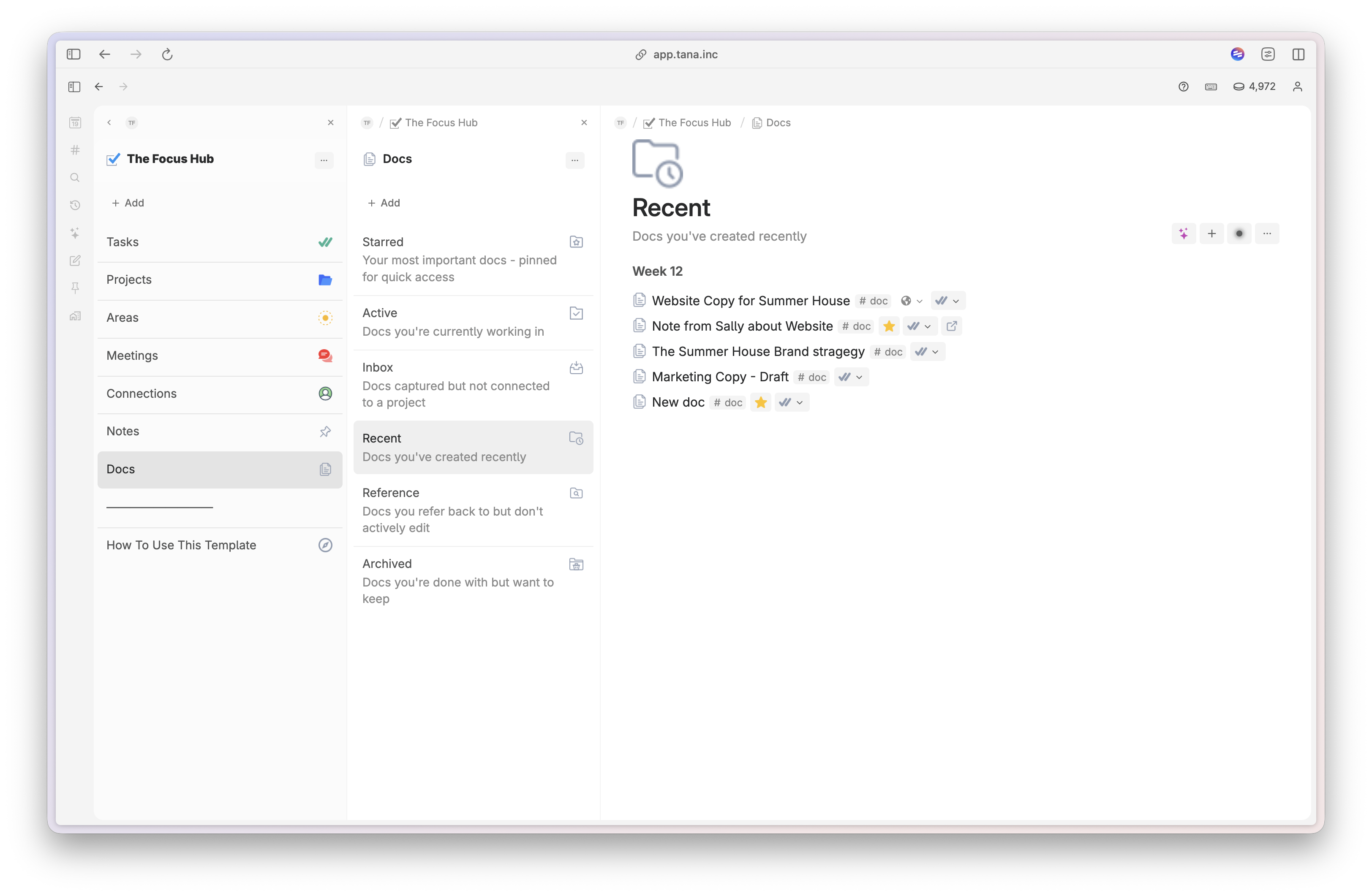
This is the thing that makes the Focus Hub different from a regular task manager or notes app. When you connect a note to a project, it shows up everywhere that project lives. When you link a meeting or a doc, it's right there when you need it.

Open any project and you'll see every task, note, doc, and meeting related to it, all in one view. No hunting. No tab-switching. No "where did I put that?

Tasks, subtasks, and recurring tasks

Imagine opening a task and having the full context and everything you need at your fingertips. No hunting for that doc the client sent or that note you took last week.

This isn't just a to do list. It's everything you need to get work done.

― Break tasks down into sub-tasks and track progress
― Turn any task into a recurring task
Quick capture notes & ideas
― Stay in focus with everthing you need surfaced as soon as you open the task.
― Works perfectly with Timewise Time Tracker to track time across tasks & projects.

🧠 Projects and Areas that give you structure

Projects are containers for real work.

Each one isn't just a collection of things to do. They are where actual thinking and work get collected.

Need to check the notes from that meeting two weeks ago? It's right there in your sidebar.

Plus you can group projects into Areas (like Personal and Work) to keep things organised.

💡 Notes and Docs, right where you need them

Notes & Docs are where you thinking and output actually lives. The Focus Hub allows you to collect all those little brain dumps and thoughts you have at the most inconvient times & surface them when it's needed.

Everything lives alongside the work it relates to.

― Capture quick notes for all those little things that come up throughout the day about your tasks & projects.
― Use Docs to organise output from projects.
― Docs are shareable with Tana Publish.
― Link to external docs shared with you and open them with a click of a button.

Love For The Focus Hub Template

I love my 'Focus Hub'
I love my 'Focus Hub', and 'Focus Days' is a brilliant idea for helping eliminate overwhelm in the working day. Excellent tutorial
Emma Brooks
Creative Solopreneur
It Is Fantastic!
Spent my evening learning how to setup @evielync 's Template: Focus Hub. I Wish I'd found it 1.5 years ago. It. Is. Fantastic.

I'll be using it to get through the next #ship30for30 cohort in March.
Em Downham
Creator
Finding Clarity
Planning my cycle and finding clarity with @evielync's latest gem, The Focus Hub. If you're frustrated or paralyzed by your current setup, this is a steal. Thanks, Ev!
Juan Cifrian
Language Coach

Everything You Need To Get Your Best Work Done Everyday

Get this template free when you purchase Tana Fast Track

All of my signature templates (including this one) come as part of my Tana Fast Track Course.

Purchasing the course makes a lot of sense. Not only do you get The Knowledge Hub but you'll also get access to the additional Fast Track Core Workflow Templates for managing work, meetings, people, content & planning. Plus Tana foundations, Tana Advanced Masterclasses and the Tana Fast Track community to get help & support.

Frequently asked questions

Have a different question?
Contact me!
How long does it take to set up?

Most people are up and running in under an hour. The template installs directly into your Tana workspace, and there's a full migration guide if you need to bring existing tasks and projects across.

What Tana plan do I need?

The Focus Hub is built for Tana Outliner and works on any Tana plan. Some advanced features like AI-powered recurring task creation require Tana's AI add-on, but the core template works without it.

Can I migrate from an older Tana template?

Yes. The Focus Hub includes a full migration guide that walks you through moving your existing nodes, tasks, and projects into the new structure. It's designed to work alongside what you already have, not blow it up.

What if I already have a system in Tana?

The Focus Hub includes a full migration guide that helps you bring your existing tasks and projects across. You can also connect the Tana MCP to an AI assistant and let it handle the migration for you — it's the easiest template migration you'll do.